One settlement, every payee,
one Pay All.
The signed statement comes in from your case system. Every payee is queued with its own method, Pay stays off until it balances to the penny, and your signer releases.
What it does
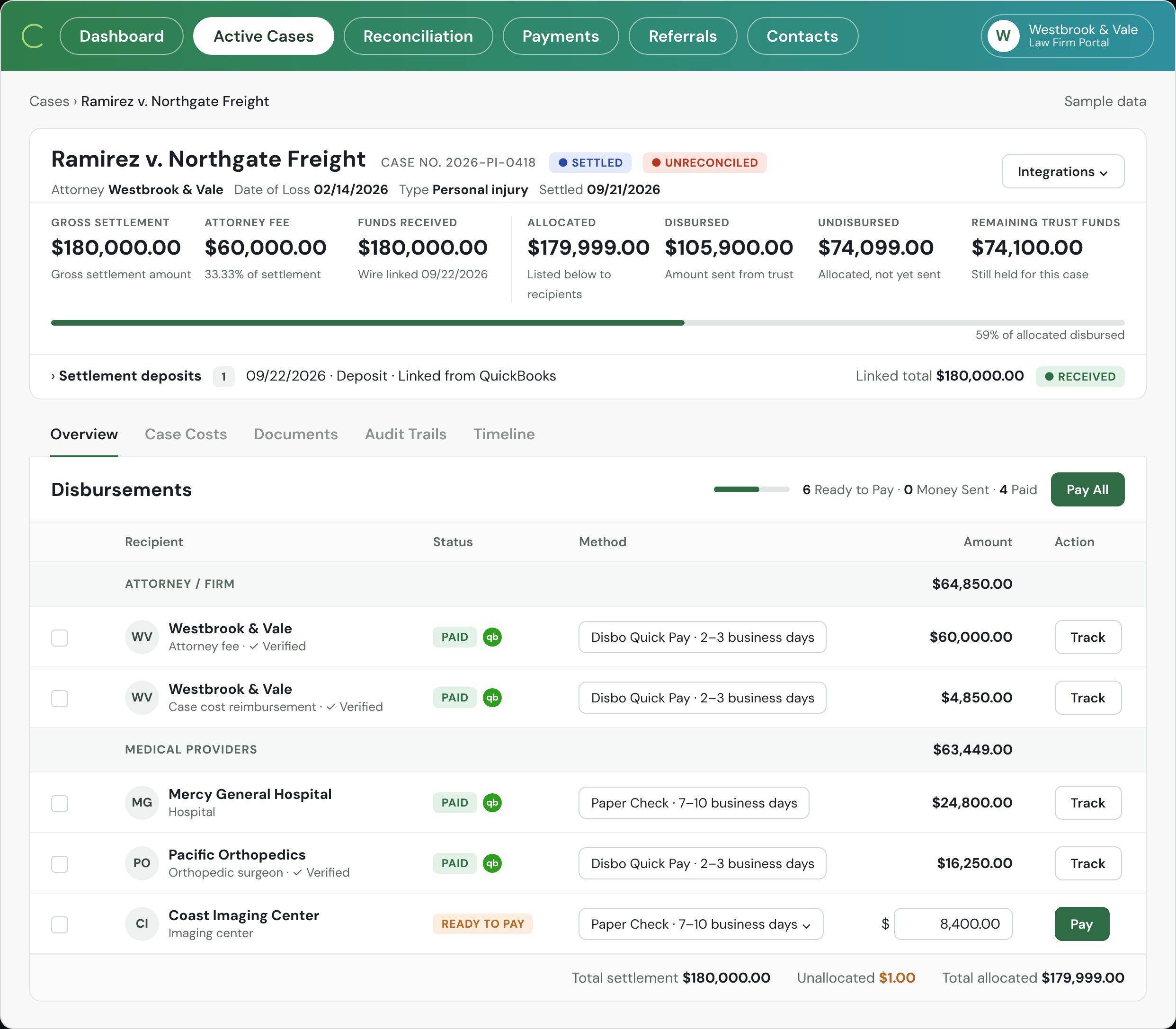
From signed statement to every payee paid. Illustrative. Sample firm, cases, and figures.
Link the deposit to the case
The settlement deposit in your IOLTA is matched to the case, in Disbo or in QuickBooks; the same dollar can never be linked twice; the deposit is what the sheet must balance to.Settlement deposits · Linked from QuickBooks · Linked total $180,000 · Received.
 The Settlement deposits row. Illustrative.
Queue every payee together
No separate sheet per payee.Client, fee, lienholders and case costs each show a method.
Hold Pay until it balances
A missing lien or typo stops the batch.Unallocated shows the difference; Pay All turns grey.
Hold a line, pay the rest
A disputed bill stays held while every other payee is paid; the balance shows what is still in trust for the case; partial payouts when your firm turns them on.A held line marked On hold, and the undisbursed balance.
Release from your signer's phone
Staff prepare; they cannot send.An authenticator code is required on every release.
Land every line on the case
No re-keying into your books.Status, check number and cleared date post to your case system and QuickBooks.
The screen
Every payment out, where it stands. The payments list.
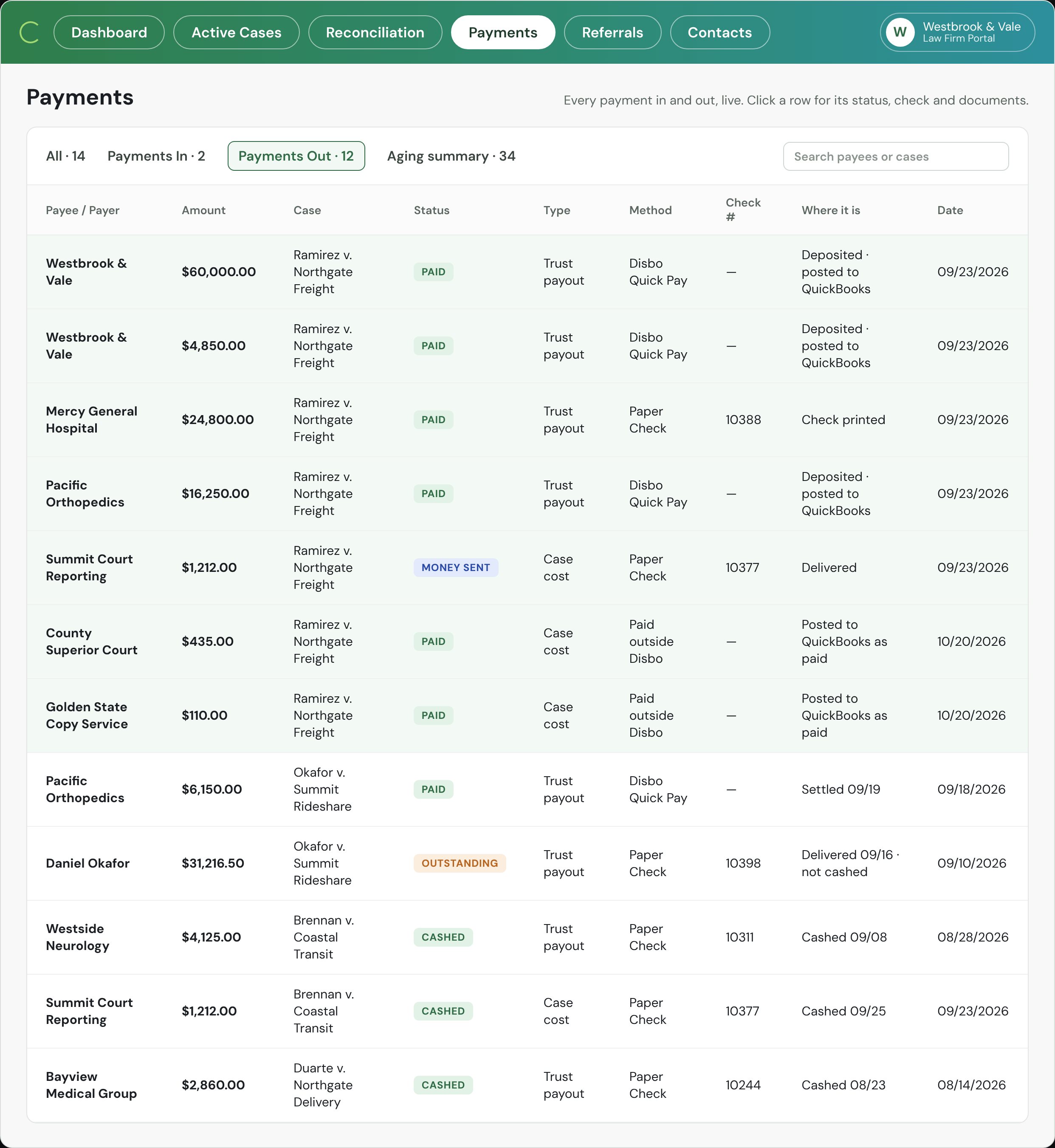
- Status badge on each payment: Paid, Money sent, Outstanding, Cashed.
- Method and check number, such as Paper Check 10388.
- Where it is, and the date.
What it solves
What stops a payout going wrong. Each is a line on the screen.
A line off by a dollar, or a lien missing.
Pay stays off. Unallocated shows the difference.
Change any line by $1.00 and Pay All turns grey.
A disputed bill.
Put it on hold with a note.
The rest goes out today.
A check your team wrote in QuickBooks.
It is picked up and marked paid on the case.
Paid outside Disbo still counts.
Partial disbursements
Allowed by a firm setting, they carry a note and show what is still in trust for the later payout.
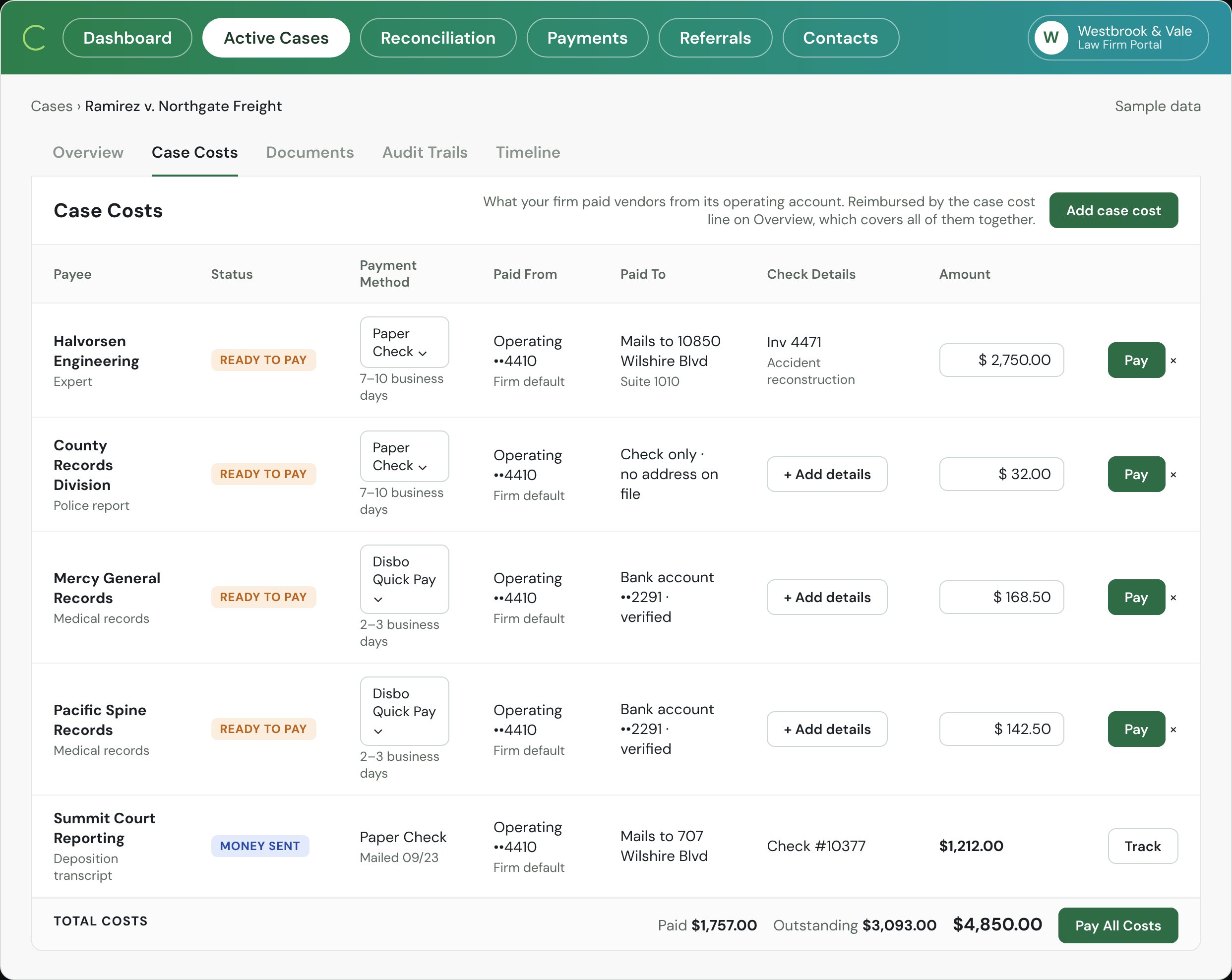
Vendors paid from operating, reimbursed on the case.
Same rails, operating account.
- Records, experts, court reporters, filing fees. Printed check or electronic payment, drawn on operating, never on trust.
- Reimbursed at settlement. The case-cost line on the disbursement covers all of them together.
- Posted to QuickBooks tagged to the case. No re-keying, and the case shows what it cost.
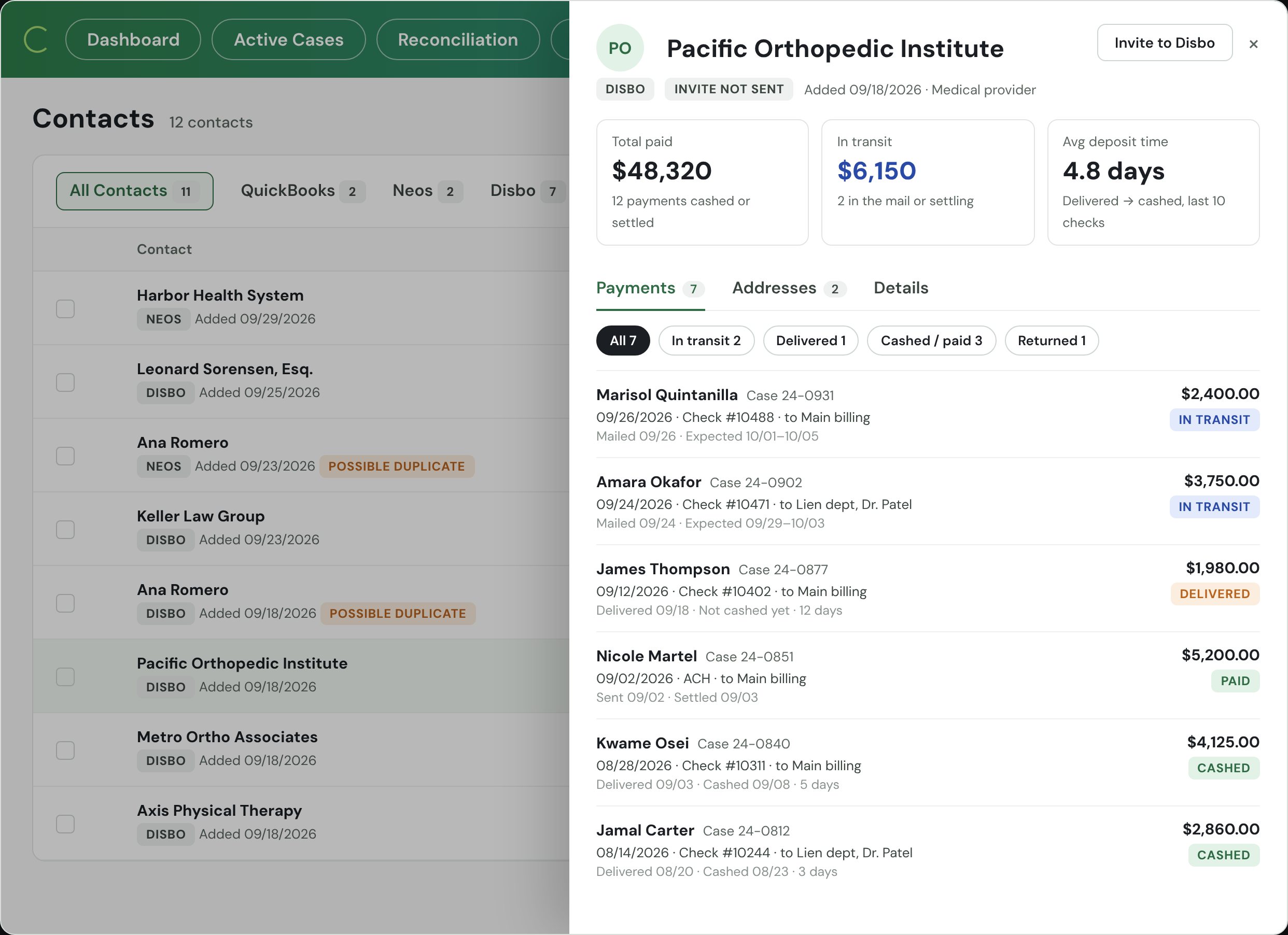
Payees link their own bank.
Verified once, used everywhere.
- Plaid-linked bank and ID on the payee, not on a sticky note. The firm never types a routing number, and an emailed bank change cannot change anything.
- Several addresses per payee. Main billing, the lien department, a specific doctor. Pick the one that goes on the check.
- History per provider. What you have paid them, what is in the mail, how fast they cash.
What the bar asks about.
The three questions every managing partner asks before a dollar moves. Tap one.
Do you send our checks?
Yes, with every document. Each check is printed and mailed for you, drawn on your own IOLTA with your check number and your firm on the envelope. The lien letter, the signed statement, and anything else you attach go in the same envelope. You see it mailed, delivered, and cashed.
Who holds the money?
No one. Most payouts are checks, drawn on your IOLTA and cleared by your bank like any check you write today. The rest are electronic payments that pass through our banking partner instantly and never sit anywhere or earn interest. Disbo holds nothing; it is software, like your bank's bill pay.
Who can send a payment?
Staff prepare payouts. Only a registered admin or an authorized signer can release them, from a phone, with two-factor on every send. You can require a second approver above any amount you choose.
Questions about disbursements.
Where does the client sign the closing statement?
In your case-management system, the way you do it today, for example Filevine's settlement tab with Vinesign. Disbo picks up the signed document, queues the payees from it, and sends it along with the payment.
What if the numbers don't balance?
Pay stays off. Unallocated shows the difference, down to the dollar, until the payees equal the deposit. A missing lien or a typo stops the batch instead of leaving a gap to find at month-end.
Can we pay the client before a lien is settled?
Yes, if your firm turns on partial disbursements. The payout is marked partial, carries a note that stays on the record, and the case shows what is still in trust for the later payout.
What about a disputed bill?
Put the line on hold with a note. The rest of the disbursement goes out today; the held line goes out when you release it, with the same tracking.
Does every payee need to be on Disbo?
No. A payee who links a bank through Plaid gets an electronic payment; everyone else gets a printed, mailed, tracked check with the documents enclosed. Nobody has to enroll to be paid.
The case settled for less than the file says.
The deposit is the source of truth. The sheet can't be released until it balances to what reached the bank, so an $850,000 file on a $600,000 deposit stops before anyone is overpaid.
Can we pay under the deposit?
Yes, with a note on the override (a MedPay prepayment, a held bill). Never over.
Send your next settlement
through Disbo.
Thirty minutes. We'll run a disbursement end to end on your own case numbers and show you what month-end looks like after.
Book a Demo →