Pay case costs from operating, on the case.
Experts, records, court reporters, filing fees. Queued from your case system, approved by your signer, paid from your operating account, posted to your books. Never from IOLTA.
What it does
From the case system to the books. Case costs are the firm's money until the case settles. They draw on operating only.
Pull the cost from the case
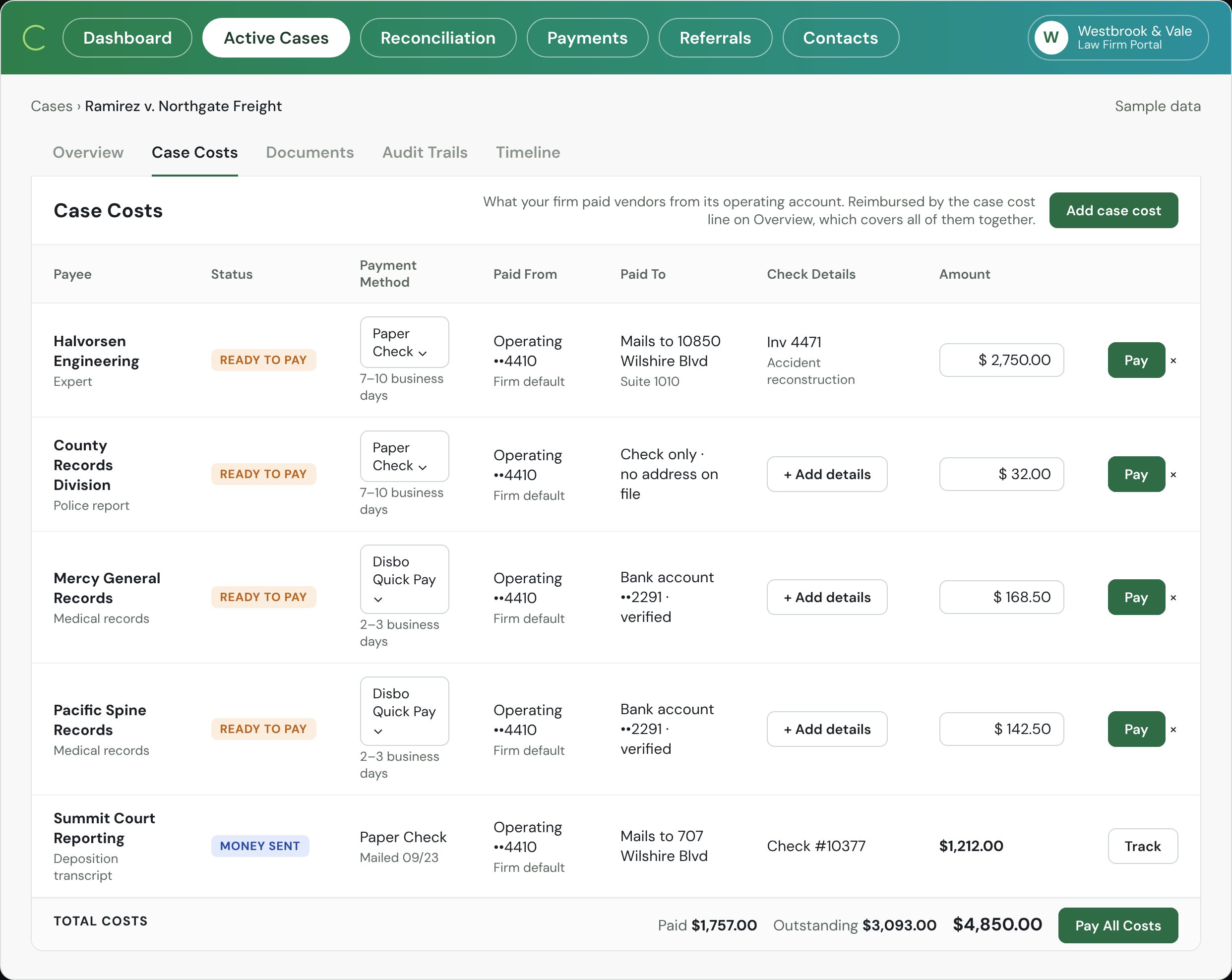
The vendor, amount and invoice are already in your case system; nothing is retyped.The Case Costs tab lists every vendor with Ready to pay.
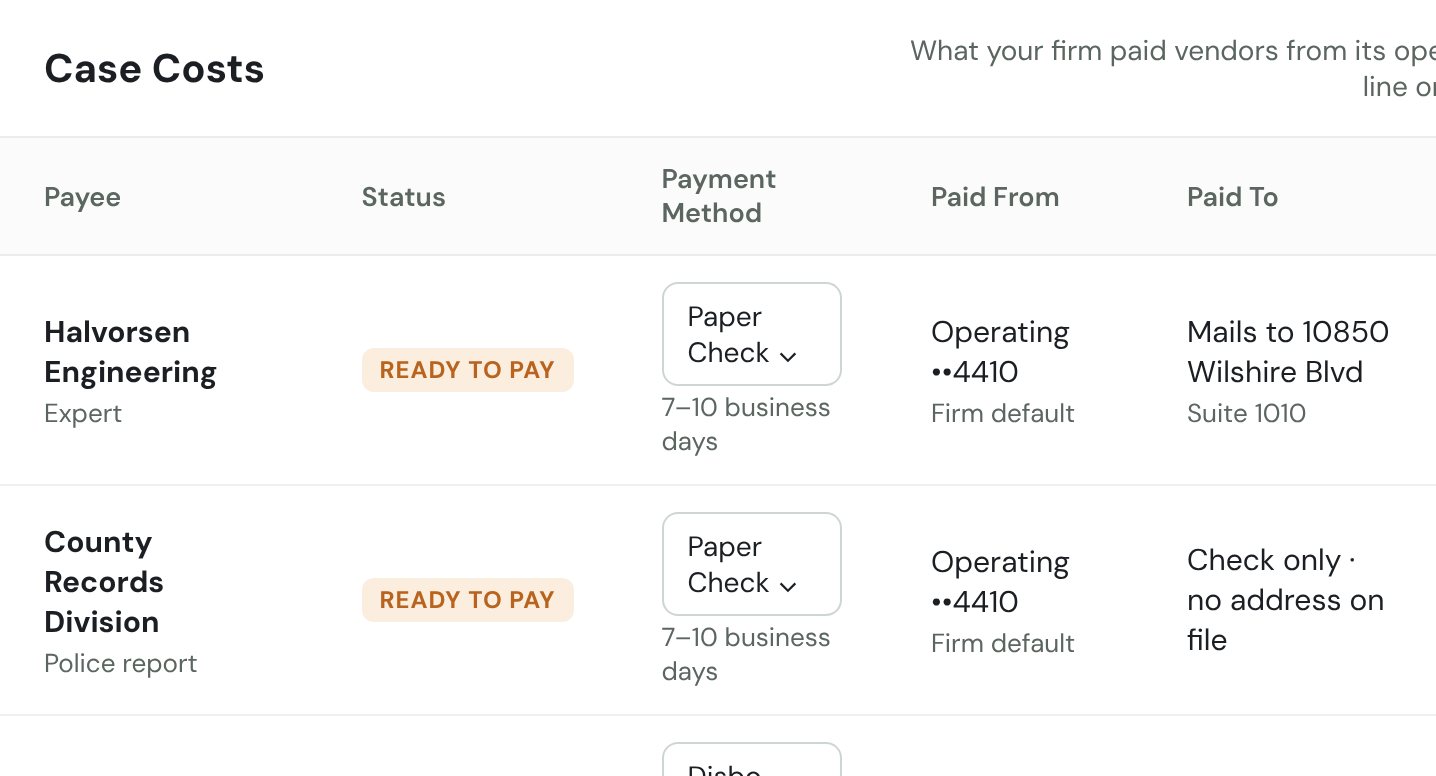 Case Costs rows. Illustrative.
Pay from operating, never IOLTA
Case costs are the firm's money until the case settles, so the trust account is not an option on this tab."Paid from Operating ••4410 · firm default" on every row.
Approve one, or pay all
A signer releases a single cost or the whole tab in one approval; bulk requests up to 50 queue as one list.Pay on each row; Pay All Costs on the total line.
Post each payment to your books
Every cost posts to the matter in your accounting system with your memo format; costs paid outside Disbo (a card, a check from QuickBooks) are imported so the tab stays complete."Paid outside Disbo · Posted to QuickBooks as paid".
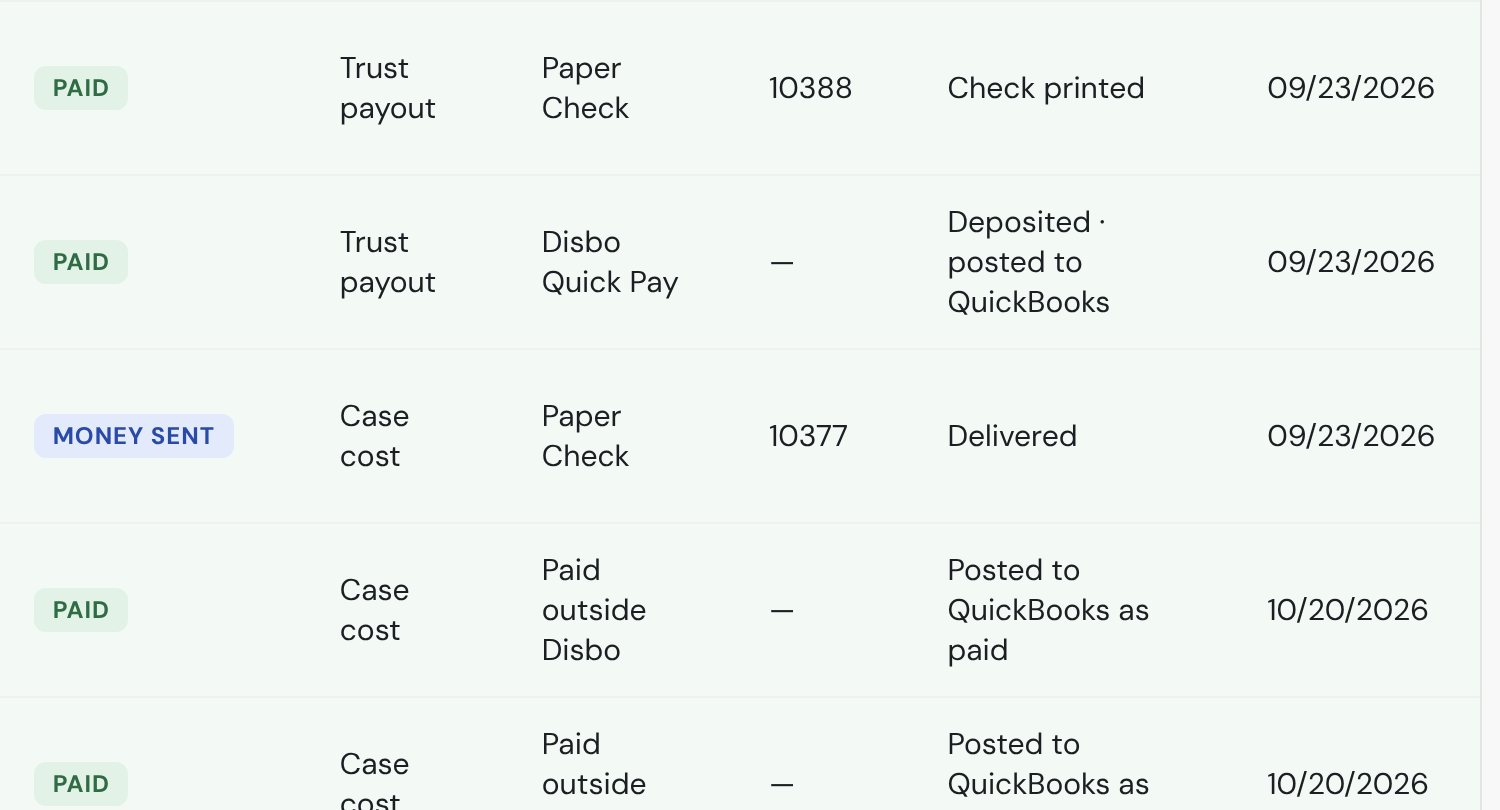 Payments list crop. Illustrative.
Recover it at settlement
The total shows on the case overview as the case-cost line and is reimbursed from the deposit with the rest of the sheet.Paid / Outstanding totals, and the case-cost line on Overview.
Track it like any payment
Checks carry a number and USPS status; Quick Pay shows sent and settled."Money sent · Check #10377 · Track".
The screen
Every vendor, one tab. The Case Costs tab, as your staff see it.
- Paid From: Operating ••4410, the firm default, on every row.
- Check details and amount per vendor; Pay releases one row.
- Total costs: Paid, Outstanding, and Pay All Costs.
What it solves
Costs that stay on the case. Each is a row or a total on the screen.
Costs live in a spreadsheet and get keyed into QuickBooks a second time.
Pulls each cost from the case and posts the payment to the books.
One row per vendor, with its accounting entry.
An expert gets paid from the wrong account.
Case costs can only draw on operating; IOLTA isn't offered on the tab.
"Operating · firm default".
Nobody knows what a case has cost until the settlement sheet.
Running totals per case, reimbursed from the deposit on settlement.
Paid $1,757 · Outstanding $3,093 (illustrative).
What the bar asks about.
Three questions a managing partner asks about the balance. Tap one.
Who holds the money?
No one. Most payouts are checks, drawn on your IOLTA and cleared by your bank like any check you write today. The rest are electronic payments that pass through our banking partner instantly and never sit anywhere or earn interest. Disbo holds nothing; it is software, like your bank's bill pay.
Fees and costs are billed to your operating account, never from trust.
What does the audit log show?
One log per payment: who prepared it, who approved it, and when it was sent, delivered, and cashed. Uncashed checks are aged by days outstanding. Every open case shows its settlement, what is still in trust, and who has been paid, so nothing lives in a side spreadsheet.
How does month-end work?
Because every deposit, payout, and case cost posts as it happens, month-end is a review, not a rebuild. Disbo prepares the adjusted bank balance, the trust journal, and the client ledgers side by side, itemizes any difference, and exports the report for your accountant and the bar. In beta.
Questions about case costs.
Where does the money come from?
Your operating account. Case costs and Disbo's fees never draw on IOLTA.
The cost was already paid from QuickBooks or a card.
It's imported onto the case and marked paid outside Disbo, so the tab and the case-cost line stay complete.
Does the payment write back to the case system?
Payment status and the check image are written to the case file for connected systems; see each system's integration page for what it receives.
Can one cost be split across several payees?
Coming. Until then our team sets it up as separate lines for you.
What does it cost?
The same per-payout rate as any other payment, billed to operating. See pricing.
See your open cases' costs
on one screen.
Bring one real case to the demo; we'll show the costs tab on your numbers.
Book a Free Demo