Know what's in trust,
case by case.
Every open matter, with the settlement that came in, every payee that went out, and what is still sitting in your IOLTA. Pulled from your case system and your books, not from a spreadsheet.
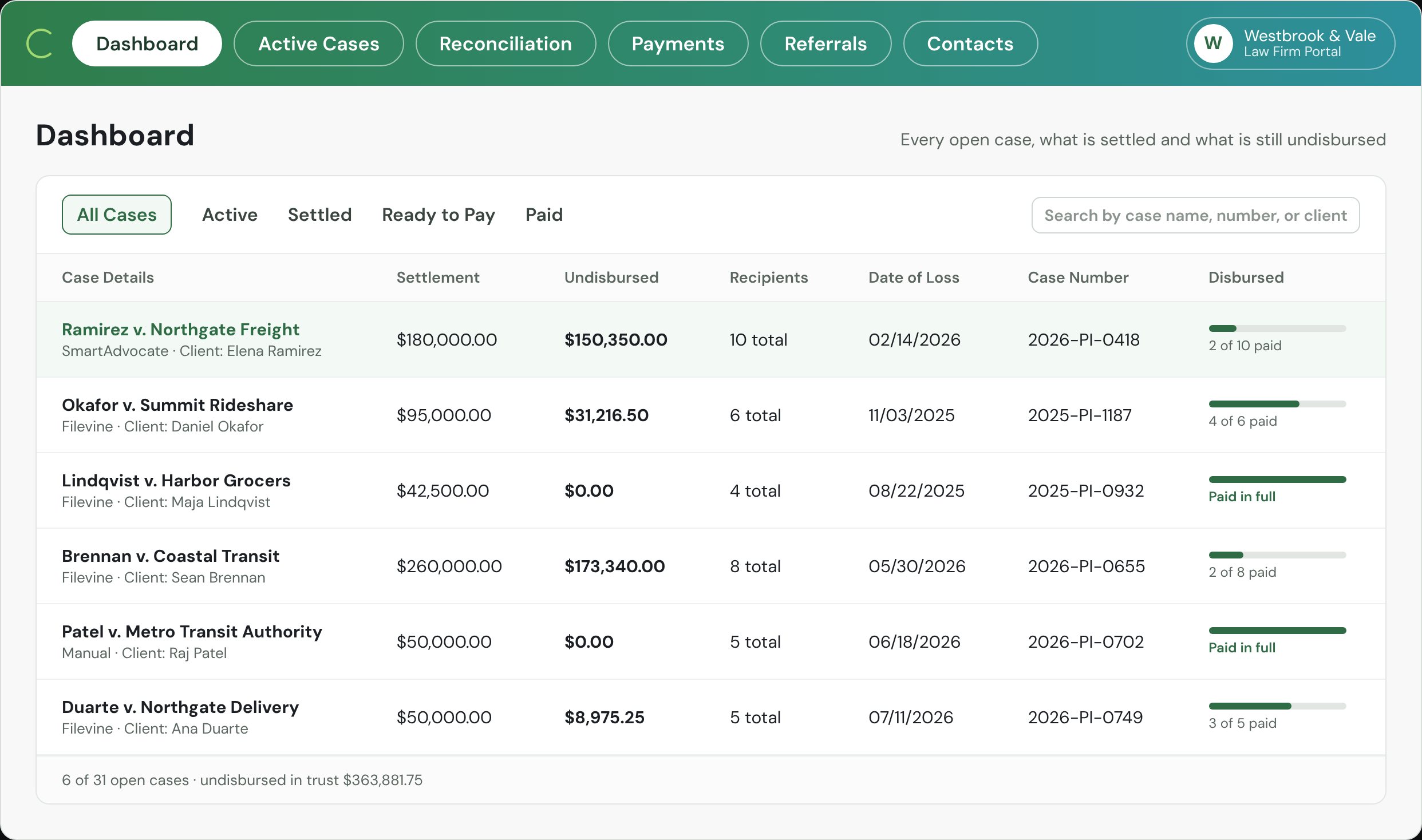
Four records, one balance.
The case balance is not typed in. It is what is left after everything that came in and everything that went out, each tied to the matter.
- 1The case comes in
The matter arrives from your case system.
Client, defendant, case number, date of loss and the settlement amount come in from Filevine, SmartAdvocate, Clio or the rest. Nothing is retyped, so the balance starts from the same record your staff already use.
6case systems, live0fields retyped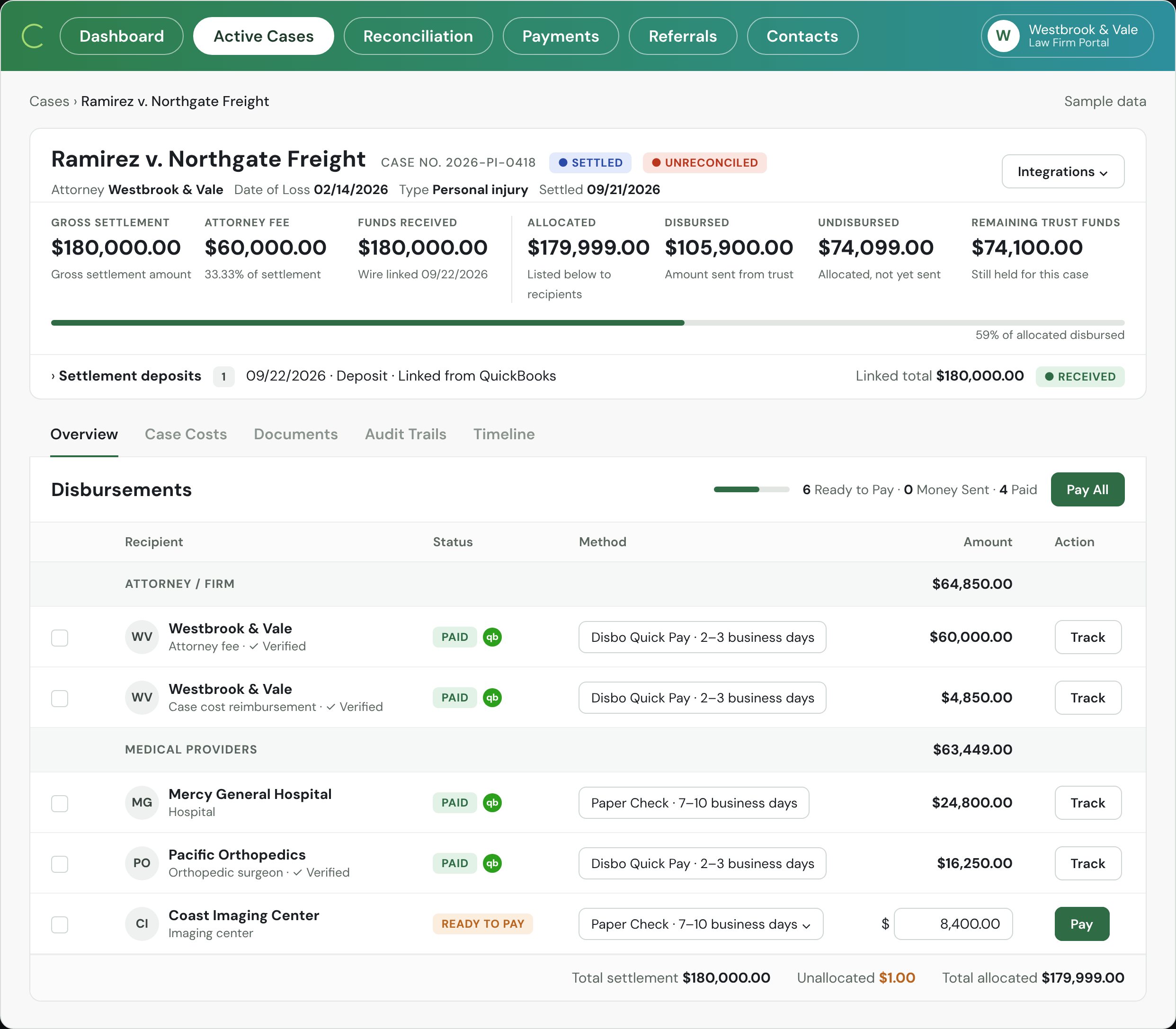
- 2Payees come with it
Every payee, on the same record.
Medical providers, lienholders, co-counsel and the client are pulled from the case with their amounts, so the sheet is the closing statement, not a reconstruction of it.
10payees on this case1sheet per case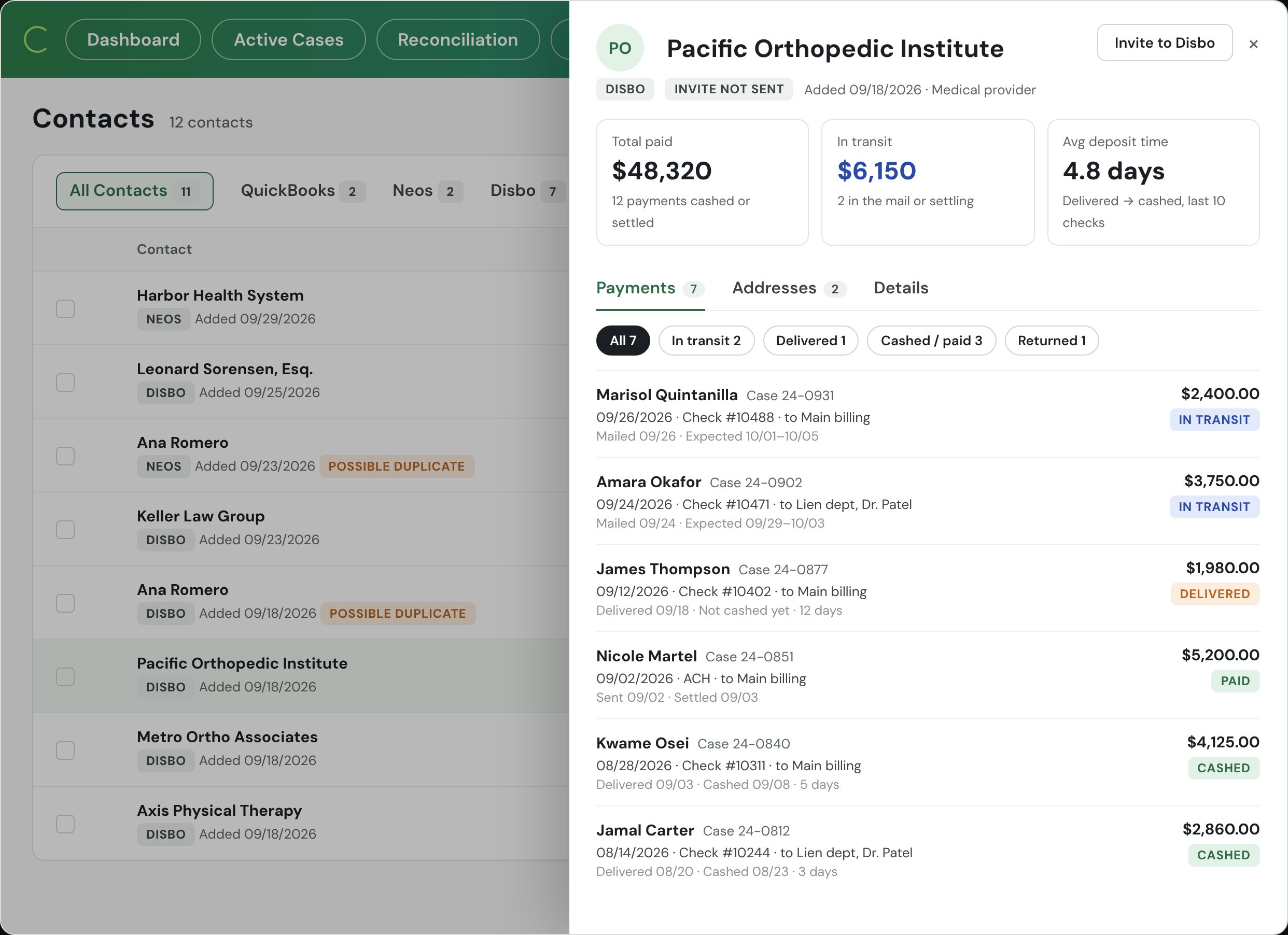
- 3Every payout posts
Each payment hits the books, tagged.
When a check or ACH goes out, the entry lands in QuickBooks, Sage, NetSuite or Xero against the case. Cleared date and check image come back from the bank to the same record.
1entry per payout0month-end rekeying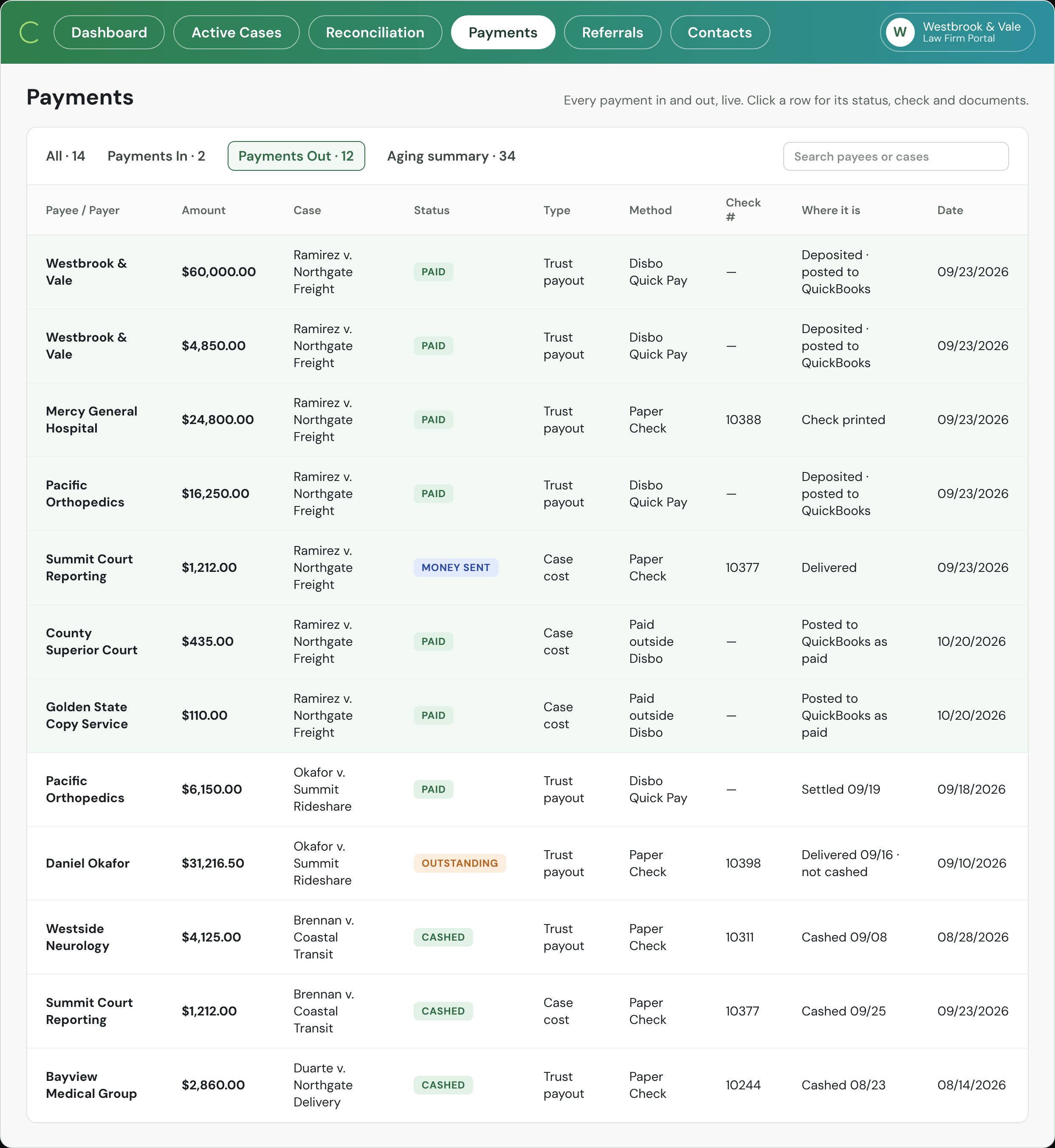
- 4What is left is in trust
The balance is what remains.
Settlement in, payouts out, per case and across all cases. The dashboard is the answer to "what is in our trust account?" for every open matter, and to "whose money is it?"
31open cases, one screen$363,881.75undisbursed, by case
Synced to the case,
in both directions.
The case number is the key. Everything Disbo reads or writes carries it, so the three records agree without anyone reconciling them by hand.
The matter and the people.
- Case, client, defendant, date of loss, settlement amount
- Payees, liens and the closing statement
- Documents attached to the matter
- Payment status, cleared date and the check image
- Undisbursed balance on the case
The books, tagged to the case.
- Settlement deposit to the trust account, by case
- Each payout, by payee and case
- Case costs from operating, reimbursed from the settlement
- Fee transfer to operating when the sheet is paid
What actually cleared.
- Deposits matched to the case they belong to
- Cleared checks, with the image
- ACH settled, with the trace
- The statement, for the month-end review









 Xero
XeroAll live today. QuickBooks Desktop and other systems by CSV import.
The things a spreadsheet never tells you.
Each one is a line on a screen now, instead of a surprise at month-end or during an audit.
Money nobody was tracking
Settled cases with a balance still in trust: a lien that was never paid, a refund never sent, a fee never transferred. The dashboard lists them with the amount and the case.
A negative ledger, before it happens
Pay stays off while a sheet is over the settlement or a payee is over the ledger. The case cannot go negative, because the check is never cut.
Balances with no activity
Trust balances that have not moved in 30, 60 or 90 days, and checks sent but not cashed. Each is a list, by case, with the age.
"Where's my check?" without a phone call
Sent, delivered, cashed, with the date, on the case. Anyone at the firm can answer it without opening the bank portal.
"What's in trust for this case?"
What it takes to answer with confidence, for one matter, when a partner asks.
What the bar asks about.
Three questions a managing partner asks about the balance. Tap one.
Who holds the money?
No one. Most payouts are checks, drawn on your IOLTA and cleared by your bank like any check you write today. The rest are electronic payments that pass through our banking partner instantly and never sit anywhere or earn interest. Disbo holds nothing; it is software, like your bank's bill pay.
How does month-end work?
Because every deposit, payout, and case cost posts as it happens, month-end is a review, not a rebuild. Disbo prepares the adjusted bank balance, the trust journal, and the client ledgers side by side, itemizes any difference, and exports the report for your accountant and the bar. In beta.
What does the audit log show?
One log per payment: who prepared it, who approved it, and when it was sent, delivered, and cashed. Uncashed checks are aged by days outstanding. Every open case shows its settlement, what is still in trust, and who has been paid, so nothing lives in a side spreadsheet.
Questions about per-case tracking
Does this replace our case-management system or our accounting?
No. The case system still holds the matter and the accounting system still holds the books. Disbo reads the case and writes the entries, keyed to the case number, so the three agree. You keep working where you work today.
What if a case started before we had Disbo?
You import open cases with their current trust balance and payees. The import is where firms usually find balances nobody was tracking. From then on every payout runs through the ledger.
Can a case balance go negative?
Not through Disbo. Pay stays off while a sheet is over the settlement or a payee is over the ledger, and the signer cannot release it. An existing negative ledger from before the import shows up as an exception to fix.
Who can see the balances?
Anyone you give a viewer role: a managing partner, your bookkeeper, your outside CPA. Viewers see; operators queue; only named signers release money. Every view and action is on the audit log.
Is the dashboard enough for a bar audit?
It is the starting point: every open matter, what came in, what went out and what remains. For the month-end requirement, three-way reconciliation (in beta) adds the bank, book and client-ledger comparison and the export your auditor asks for.
See your own open cases
on one screen.
Bring a list of open matters to the demo. We will show you what the dashboard would say about them.
Book a Demo →