 SmartAdvocate Live
SmartAdvocate keeps the case.
Disbo pays it.
Settled cases come into Disbo with the client, the settlement, every payee and the settlement documents. Payment status, cleared dates and check images go back to the case's documents. You keep working in SmartAdvocate.
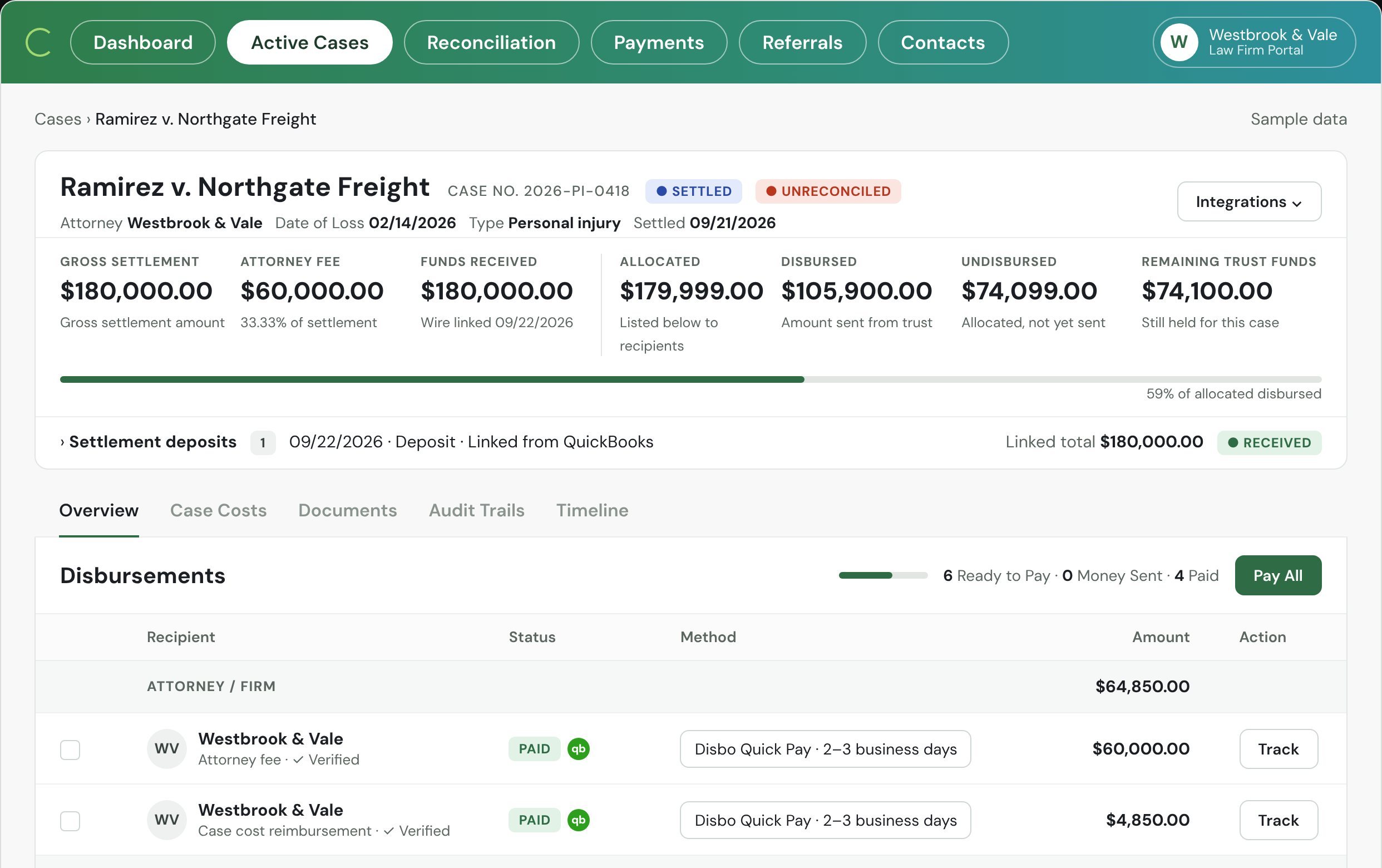
SmartAdvocate stays the case system. Disbo is the payment record.
Nothing is typed twice. Each item below is stated for SmartAdvocate specifically; other systems have their own page.
What comes in Live
- The case (name, number, type, date of loss)
- The client and contacts
- Settlement amount, attorney fee, referral fee
- Case costs
- Providers and lienholders with amounts
- Settlement documents
What goes back Live
- Payment status per recipient on the case
- Check number, cleared date and check image to the case's documents
- Documents mailed
- Case costs paid
- Undisbursed funds
Payment status, on the case.
Your case managers answer "was the doctor paid?" from the case, without asking accounting.
| Recipient | Method | Amount | Status | Date |
|---|---|---|---|---|
| Elena RamirezClient proceeds | ACH ··7721 | $252,041.00 | Cleared | Oct 9 |
| Anderson & Reed LLPReferral fee | ACH ··3310 | $48,500.00 | Cleared | Oct 9 |
| Northgate Spine & RehabMedical provider | Check 10421 | $38,210.00 | Delivered | Oct 10 |
| Dr. A. Patel, MDMedical provider | Check 10422 | $12,650.00 | Mailed | Oct 10 |
| Westside ChiropracticMedical provider | Not sent · disputed bill | $4,000.00 | On hold | — |
Connected in four steps, on one call.
Our implementation team does this with your SmartAdvocate admin on the implementation call.
API credentials from SmartAdvocate
Your SmartAdvocate rep issues them; our team connects.Done with our team on the implementation call.
Map the fields per case type
Plaintiff, settlement, fee, referral, costs, providers.Done with our team on the implementation call.
Payment status on the case
Payment status per recipient shows on the case.Done with our team on the implementation call.
Pull one case and send $1
Pull one case into Disbo, check every field landed, then send $1.Done with our team on the implementation call.
Keep your flow. Your team keeps working in SmartAdvocate.
Disbo comes in after the settlement is agreed. Everything before that is yours.
The statement is signed in SmartAdvocate
Sign it however you do today. Disbo reads the signed statement from the case documents; it never generates one.
One case key
The SmartAdvocate case number is the key in Disbo and, through Disbo, in your accounting system. No case number, no sync.
Several case types, one firm
Each case type gets its own mapping in the same Disbo organization.
Case managers see payments
A viewer role in Disbo, or just the payment status on the case. Nobody has to call accounting.
Accounting stays the system of record
Disbo posts each payment to the matter in QuickBooks, Sage, NetSuite or Xero with your memo format.
Several entities
One IOLTA and one QuickBooks file per state is a setup our team configures, with every case tied to the right one.
What the bar asks about.
Three questions a managing partner asks before connecting a system. Tap one.
Who can send a payment?
Staff prepare payouts. Only a registered admin or an authorized signer can release them, from a phone, with two-factor on every send. You can require a second approver above any amount you choose.
Who has looked at this?
The flow of funds has been reviewed with the California State Bar, other state bars, Ellen Pansky's office, and IOLTA.org. Fees come only from operating. Every payout is tied to a case and a payee. Disbo charges nothing to your clients and has no law firm investors.
What does the audit log show?
One log per payment: who prepared it, who approved it, and when it was sent, delivered, and cashed. Uncashed checks are aged by days outstanding. Every open case shows its settlement, what is still in trust, and who has been paid, so nothing lives in a side spreadsheet.
Questions about SmartAdvocate and Disbo.
SmartAdvocate charges for API access.
Ask your SmartAdvocate rep what applies to your plan; Disbo's connection itself has no setup fee.
Our firm has several entities.
One IOLTA and one QuickBooks file per state is a setup our team configures, with every case tied to the right one.
What if a case has no case number?
It will not sync. The case number is the key across the case system, Disbo and your accounting system; our team helps backfill missing numbers during import.
See your SmartAdvocate cases in Disbo.
Bring one settled case to the demo. We pull it in live and show the payment status on the case.
Book a Demo →